Scenario: you have a farm with two query components and want to stop a query component in order to move the server to a new location
Solution:
Open a SharePoint 2010 administrative shell and type-in:
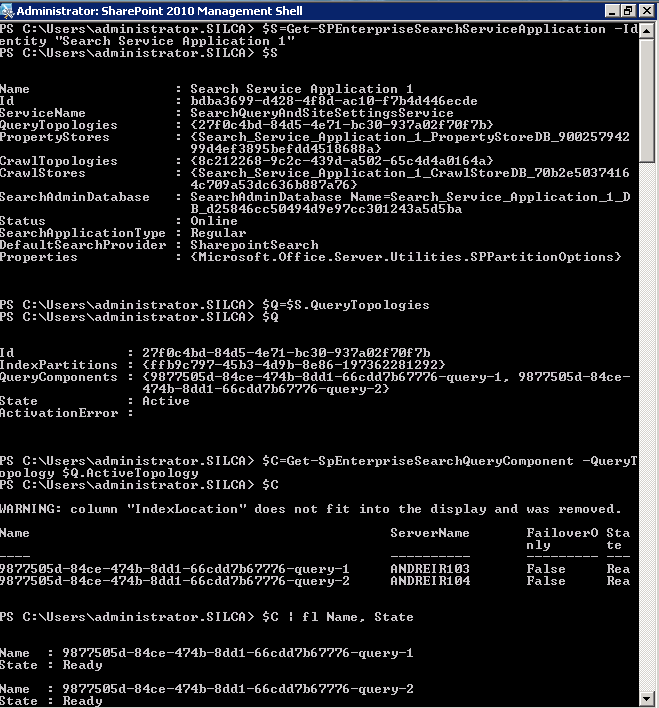
$S=Get-SPEnterpriseSearchServiceApplication -Identity “Search Service Name”
$Q=$S.QueryTopologies
$C=Get-SpEnterpriseSearchQueryComponent -QueryTopology $Q.ActiveTopology
$C | fl Name, State
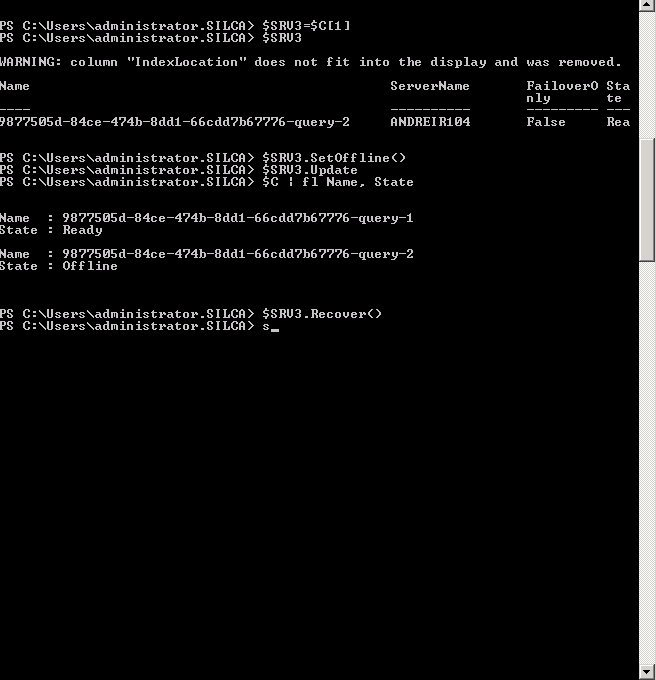
$SRV3=$SC[1] <—- This is the query component you want to put offline
$SRV3.SetOffline()
$SRV3.Update
In order to get the server back online, start the machine, then run the following PowerShell COmmand:
$SRV3.Recover()
$SRV3.Update